
Article
How to share a permanent file

Link rot is usually about missing content: you click a link and get a 404 because the file is gone. Hosts shut down, accounts expire, and pages disappear.
Arweave is designed for permanent data storage. Public uploads are identified by a transaction ID (or data-item ID), which provides a durable reference to the stored data.
A browser URL like https://turbo-gateway.com/TRANSACTION_ID is one way to retrieve that data today. Turbo Gateway is operated by the ArDrive team, but it is still a centralized access point. Other gateways are operated by other teams. If one gateway stops serving a file, the same ID may still be available through another.
The durable reference is the ID, not the hostname. No individual gateway URL is permanent.
Permanent data vs permanent URLs
| What lasts | What can change |
|---|---|
| The file stored on Arweave | Which gateway serves it |
| The transaction / data-item ID | The hostname in the URL (arweave.net, ar.io, and others) |
ArDrive helps you upload and provides a share or preview URL through Turbo Gateway. That URL depends on a centralized service, even though the underlying data is stored on Arweave. A 404 on one gateway can be caused by indexing, routing, or operator issues — it is not necessarily proof that the data is gone. See Trouble Accessing Data Through arweave.net? for how to compare the same ID across gateways.
How to upload a public file and get a shareable reference
To share a permanent public file you need two things: a public drive and an uploaded file. Only public files get a shareable gateway URL. Private files stay private.
1. In ArDrive, use the New button in the top left.
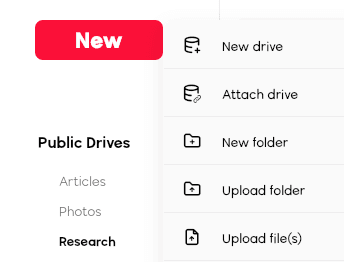
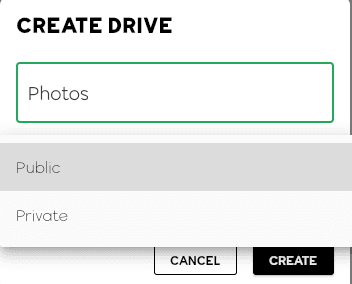
2. Choose New Drive and make sure it is Public.
3. Click New again and choose the file you want to upload.
4. Choose your payment method and finish the upload.
5. Open the file’s Preview.
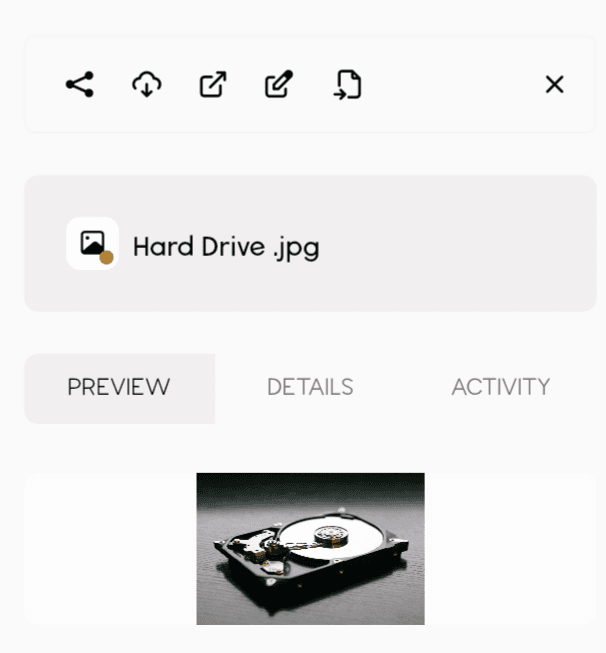
6. Copy the URL from the browser — and, more importantly, note the transaction or data-item ID in the path. That ID is the durable reference.
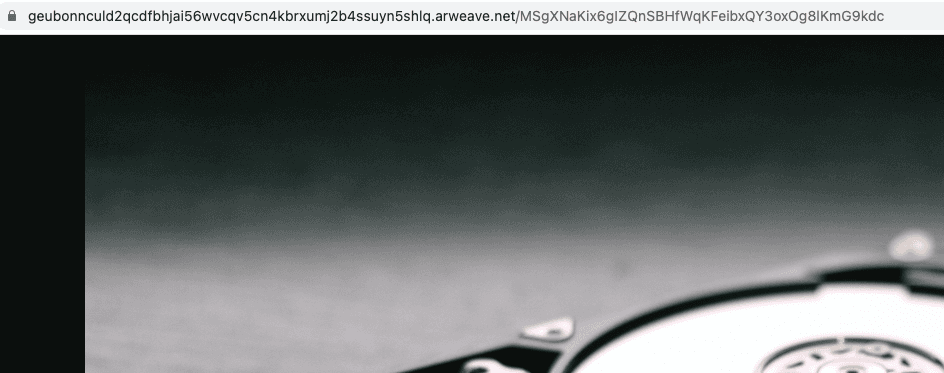
For example, this ID can be requested through Turbo Gateway:
https://turbo-gateway.com/MSgXNaKix6gIZQnSBHfWqKFeibxQY3oxOg8lKmG9kdc
If that URL fails, save the ID and try it through another public Arweave gateway. Treat every hostname — including turbo-gateway.com — as a replaceable access path.
You now have permanent data you can share — without relying on any single link to stay up forever.